Technology
The Kubernetes Cluster Was Almost Idle — So Why Couldn’t It Schedule Anything?
A Kubernetes cluster can look almost idle and still be unable to schedule workloads. Here’s how exhausted CPU requests, missing Karpenter autoscaling, and an Availability Zone storage constraint combined to cause a 503 outage.
A few days ago, I was working on one of our staging environments when something didn't look right. Rancher was returning a 503 error, several application workloads were stuck in Pending, and a number of supporting services were also waiting indefinitely for somewhere to run.
At first glance, it looked like a fairly normal Kubernetes capacity problem. Maybe CPU utilisation had suddenly spiked. Maybe one of the nodes was unhealthy. Maybe we'd simply pushed more workloads into the cluster than it could handle.
So I started checking the obvious things.
What I found didn't immediately make sense.
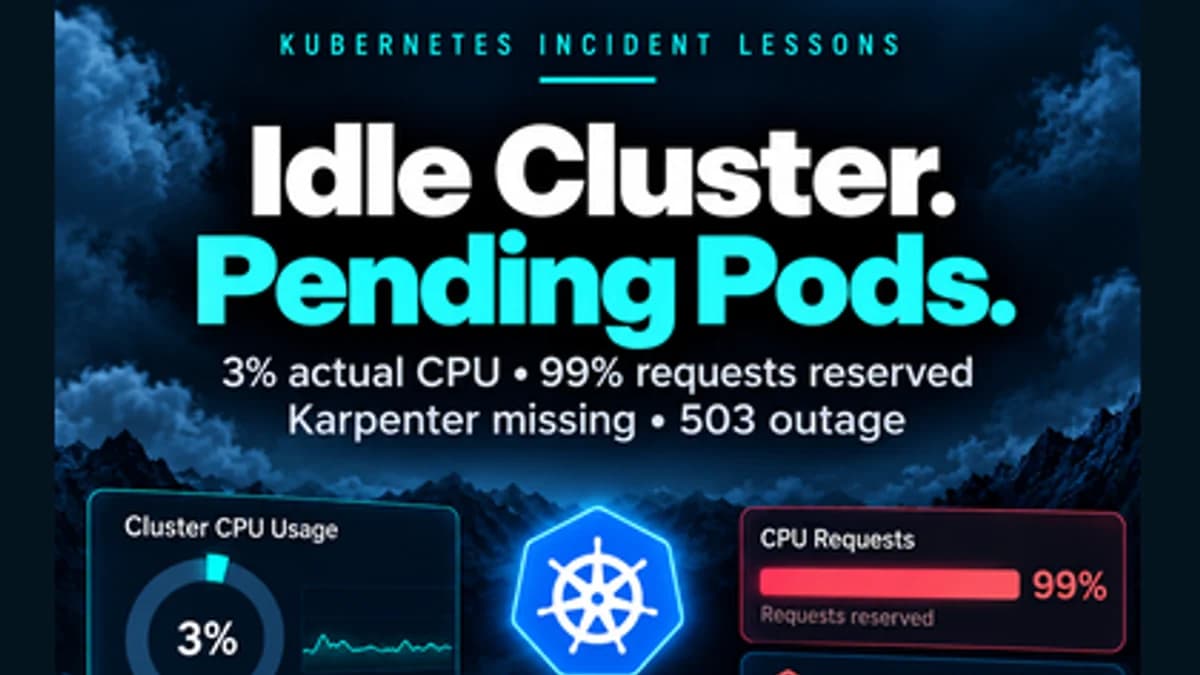
The nodes were barely working. Actual CPU utilisation was only around 2–3%. Yet Kubernetes was effectively telling me, “I don't have enough CPU to schedule these pods.”
How could a cluster be almost idle and still have no CPU available?
That contradiction became the starting point of the investigation.
The first clue: usage wasn't the real problem
One of the easiest mistakes to make when troubleshooting Kubernetes is focusing only on what the nodes are currently consuming. In this case, the machines weren't computationally overloaded at all.
The problem was CPU requests.
Kubernetes doesn't schedule a pod simply because a node's processor happens to be quiet at that moment. It has to honour the resources workloads have already requested. When I examined the cluster from that perspective, the situation became much clearer: CPU requests had reached approximately 98–99% of the nodes' allocatable capacity.
So although the machines themselves were barely using their CPUs, Kubernetes considered almost all of that capacity already reserved.
I like to think of it as a hotel with 100 rooms. Only three guests may physically be inside their rooms, but if 99 rooms have already been reserved, the receptionist can't simply hand those supposedly empty rooms to new guests.
That was essentially what was happening inside the cluster.
One important workload alone required roughly 2 vCPU, and no existing node had enough unreserved capacity to accommodate it. So the pod remained Pending, along with several others.
But that raised another question.
If the cluster needed more capacity, why wasn't it simply adding another node?
That question led to the real surprise
Normally, this is precisely where cluster autoscaling should help. When Kubernetes has workloads it cannot schedule because there isn't enough capacity, a tool such as Karpenter can provision additional compute automatically.
Except Karpenter wasn't actually running.
What made this particularly deceptive was that much of the surrounding configuration still existed. The NodePool configuration was there. The EC2 node configuration was present. AWS permissions and resource-discovery configuration largely existed. Several supporting Kubernetes resources were also still in the cluster.
If I had looked only at those objects, I could easily have assumed autoscaling was available.
But the component that actually turns that configuration into action — the Karpenter controller — was gone.
The way I pictured it was simple: the cluster still had the steering wheel, pedals and dashboard of an autoscaling system, but nobody was driving the car.
The configuration could describe the infrastructure Kubernetes wanted. Nothing was actually acting on it.
So when the pods became unschedulable, no new node appeared. No additional capacity arrived. The cluster simply waited, and the pods remained Pending.
Then the 503 revealed another layer
At that point, manually adding another node seemed like the obvious temporary fix. But there was another constraint hiding underneath the problem.
The workload behind the 503 depended on persistent storage backed by an Amazon EBS volume, and EBS volumes are tied to a particular Availability Zone.
The volume existed in one Availability Zone, while the Kubernetes nodes currently available were running in others.
That meant even if one of those existing nodes suddenly had enough spare CPU, the workload still couldn't simply move there. Its storage couldn't follow it across Availability Zones.
Now the outage made more sense.
We didn't have just one scheduling problem. We had two constraints happening at the same time: Kubernetes had almost no unreserved CPU capacity left, and the stateful workload needed compute specifically in the Availability Zone where its persistent volume existed.
So the problem wasn't simply:
“The cluster needs another node.”
It was closer to:
“The cluster needs the right capacity, in the right place, and the system that should provide that capacity automatically isn't running.”
Restore service first
During an incident, architecture improvements come second. The immediate priority is restoring service.
So I temporarily increased the managed node capacity, making sure that the additional capacity also included a node in the Availability Zone required by the persistent volume.
Once that capacity became available, the effect was immediate. The previously blocked workload scheduled successfully, the 503 disappeared, and the other workloads that had been stuck in Pending also began finding capacity.
Service was restored.
But manually adding nodes wasn't the kind of solution I wanted to leave behind. It fixed the outage, but it didn't address the reason the cluster had failed to respond automatically.
The next question became: how do we make sure the cluster handles this by itself next time?
Bringing Karpenter back wasn't a one-command fix
Another environment was already using Karpenter successfully, so the longer-term objective was to restore it in staging and standardise the environments.
That sounded straightforward.
It wasn't.
There were still remnants of the previous Karpenter deployment inside Kubernetes: service accounts, RBAC resources, services and custom resources. Those objects existed, but they were no longer properly connected to an active Helm-managed deployment.
After reconciling those resources, I installed the Karpenter controller and expected to be close to the end of the remediation.
Instead, the controller started crashing.
The logs pointed to a missing Kubernetes resource type: NodeClaim.
That was a strong indication that the Karpenter controller and its Custom Resource Definitions (CRDs) were not fully aligned. The controller expected Kubernetes to understand a resource definition that wasn't available in the required form.
After bringing the CRDs into alignment, the controller got further through startup.
Then another error appeared:
AccessDenied
during:
AssumeRoleWithWebIdentity
At that point, the investigation moved from Kubernetes into AWS IAM.
The Karpenter controller uses a Kubernetes service account to assume an AWS IAM role. The IAM trust relationship expected that service-account identity in a different namespace from the one where Karpenter was actually running.
The individual pieces existed, but they disagreed with each other.
Once the trust relationship was aligned with the actual service-account identity and the controller was restarted, Karpenter finally came online properly. It began discovering suitable instance types, its node configuration became ready, and the NodePool became ready.
Autoscaling was alive again.
One last surprise
There was still another environment running an older Karpenter version, and I wanted both environments to behave consistently.
So I upgraded the second environment.
The Helm upgrade completed successfully.
At least, that was what it appeared to do.
When I checked the controller that was actually running, something didn't add up. The Helm chart version had changed, but the controller image was still on the older version.
The reason turned out to be --reuse-values.
The previous Helm configuration contained a pinned controller image tag and digest, and --reuse-values had quietly preserved them during the upgrade.
So Helm had upgraded the chart while continuing to run the older controller image.
The deployment command hadn't failed. The release looked upgraded. But the component that mattered was still running the previous version.
Explicitly updating the image version and removing the stale digest corrected the mismatch, and the environments were finally aligned.
What I took away from the incident
What made this incident useful to me wasn't just the technical fix. It was how several small assumptions combined into one visible failure.
The first was that low CPU usage does not necessarily mean a Kubernetes cluster has schedulable CPU capacity. Actual usage and resource requests answer different questions. Usage tells you what workloads are consuming right now; requests tell Kubernetes what capacity it has already promised.
The second was that configuration existing doesn't mean a system is functioning. Many of the Karpenter-related objects were still present, but without the controller there was no working autoscaling control loop.
The third was how strongly storage architecture affects scheduling. With zonal storage such as EBS, you don't simply need spare compute; you need spare compute in a location where the workload can actually use its storage.
And perhaps the most important lesson was about infrastructure drift. The environment had enough remnants of the old Karpenter setup to look prepared, while the critical component responsible for actually doing the work was missing. Nothing had to fail loudly for that state to become dangerous.
It could sit there quietly until the day autoscaling was actually needed.
That day, it became part of an outage.
The Helm upgrade also reinforced another habit I consider important: don't verify a deployment only by checking whether the deployment command succeeded. Verify the thing that is actually running.
The question I left with
If you looked at a Kubernetes cluster showing roughly 3% actual CPU utilisation while pods were reporting insufficient cpu, would additional capacity be one of the first things you investigated?
It probably wouldn't have been my first assumption either.
But Kubernetes doesn't schedule based on how idle a machine looks.
It schedules based on the resources that have already been promised, the topology the workload requires, the storage it depends on, and the controllers available to respond when capacity runs out.
Sometimes troubleshooting isn't about finding one broken thing.
It's about understanding how several individually reasonable conditions can combine into one very visible failure.
And after this incident, whenever I see a pod stuck in Pending, I know one of my first questions will be:
What has Kubernetes already promised?
59