One small thing I learned that made a BIG difference?
Turning off background data on my phone.
---
Some apps use your data… even when you’re not using them.
And most people don’t even realize it.
---
Here’s exactly how to fix it 👇
---
📱 On Android:
1. Go to Settings
2. Tap Network & Internet
3. Click Data Usage
4. Select App Data Usage
5. Tap any app you don’t need running
6. Turn OFF Background Data
---
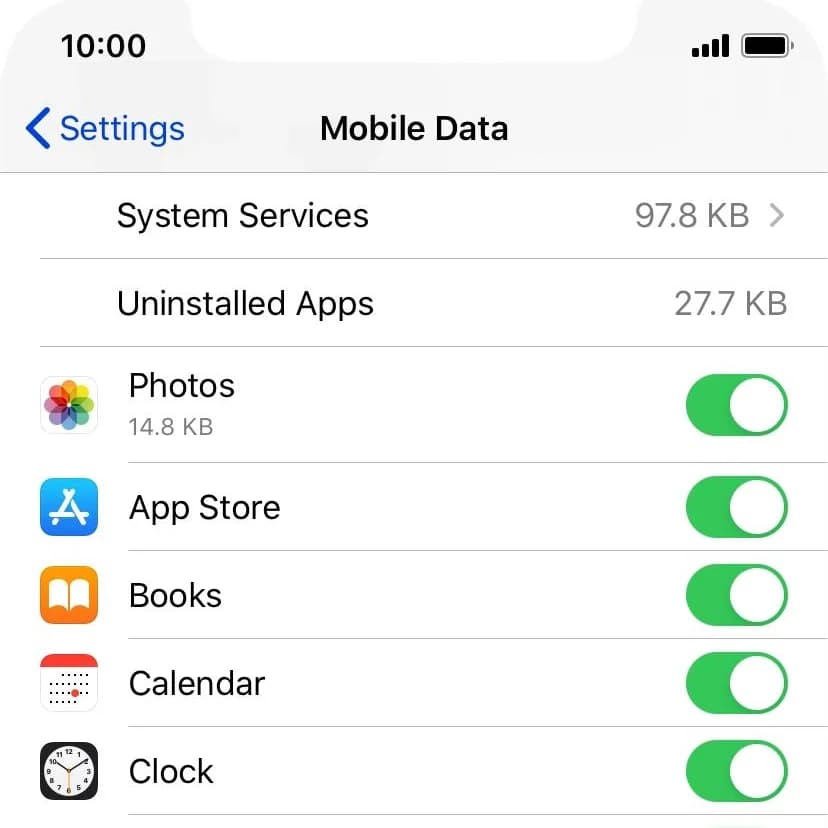
🍎 On iPhone:
1. Go to Settings
2. Tap Mobile Data
3. Scroll to your apps
4. Turn OFF data for apps you don’t need
---
That’s it.
No app. No stress.
---
💡 What this does:
• Reduces hidden data usage
• Makes your data last longer
• Gives you more control over your phone
---
Most times, it’s not your data finishing fast…
It’s your apps using it silently.
---
Try it and see the difference 👇