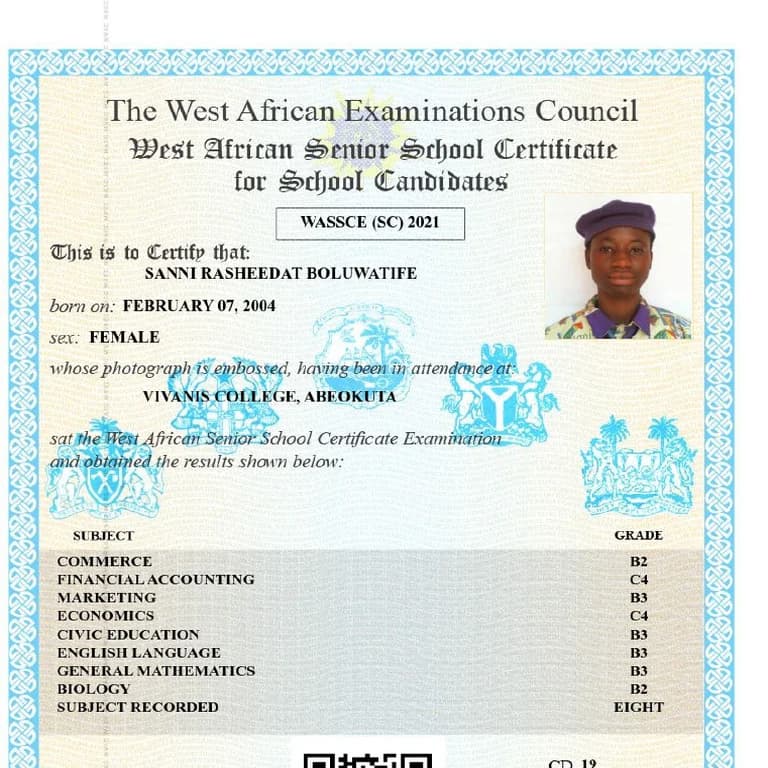
If you’re about to enter university, you’re going to need the original copy of your WAEC certificate. Don’t bother paying someone 14,000 naira to do this for you. You can do this yourself from the comfort of your home.
First, this only applies if your certificate is available digitally. The West African Examinations Council now provides an online certificate platform for candidates.
Here’s how to print yours at home:
1. Go to the Official WAEC Certificate Portal
Search for the WAEC digital certificate platform. Make sure you’re on the official website before entering any details.
2. Create an Account
Sign up with your email and verify it.
3. Add Your Examination Details
You’ll need:
• Your exam year
• Exam number
• Type of exam (May/June or Nov/Dec)
Double-check everything before submitting.
4. Pay the Required Fee
There is a verification and access fee. Payment is done online with your card. Last time I checked, the fee was about 7500 naira.
5. Download and Print
Once your certificate is available, you can download the digital copy as a PDF and print it from home using a colored printer for best quality.
Important Things to Note
• Only use the official WAEC platform
• Do not pay random agents claiming they can “process” it faster
• If your certificate is too old and not yet digitized, you may need to apply through WAEC directly
Printing it yourself is straightforward once your details are correct.
If you’re applying for jobs or further studies, this can save you time and unnecessary stress.