From my experience working with businesses, I always recommend creating a Google Business Profile. One client I worked with sold physical products online. After setting up and optimizing their profile properly, they started attracting more local traffic, which translated into more sales. That experience reinforced something I’ve seen repeatedly: when people can easily find your business on Google, opportunities naturally increase.
In this beginner’s guide, I’ll show you exactly how to create your Google Business Profile correctly from the start.
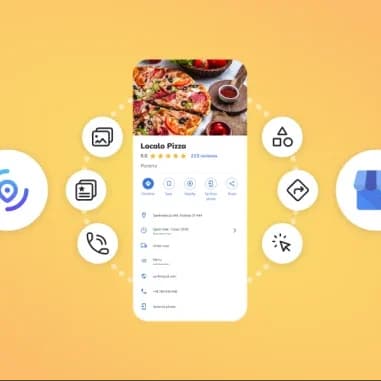
A Google Business Profile is a free business listing that allows your company to appear in Google Search and Google Maps.
It displays important information such as:
Business name
Business category
Address or service area
Phone number
Website
Business hours
Photos
Customer reviews
Directions
Products and services
Instead of customers searching through multiple websites, they can find nearly everything they need directly on Google.
In my opinion, every legitimate business should create a Google Business Profile.
Many people assume it’s only for businesses with physical storefronts. That’s simply not true.
If your business serves customers locally—even if you primarily sell online—you can benefit tremendously.
Some of the biggest advantages include:
Better visibility on Google Search
Appear on Google Maps
Increased customer trust
More phone calls
More website visits
More direction requests
More opportunities to generate local sales
Easier communication with potential customers
In this beginner’s guide, I’ll show you exactly how to create your Google Business Profile correctly from the start.
What Is a Google Business Profile?
A Google Business Profile is a free business listing that allows your company to appear in Google Search and Google Maps.
It displays important information such as:
Business name
Business category
Address or service area
Phone number
Website
Business hours
Photos
Customer reviews
Directions
Products and services
Instead of customers searching through multiple websites, they can find nearly everything they need directly on Google.
Why Every Legitimate Business Should Have One
In my opinion, every legitimate business should create a Google Business Profile.
Many people assume it’s only for businesses with physical storefronts. That’s simply not true.
If your business serves customers locally—even if you primarily sell online—you can benefit tremendously.
Some of the biggest advantages include:
Better visibility on Google Search
Appear on Google Maps
Increased customer trust
More phone calls
More website visits
More direction requests
More opportunities to generate local sales
Easier communication with potential customers
I’ve personally seen businesses experience noticeable improvements in local visibility after properly setting up their profile.
What You Need Before You Start
Continue Reading: https://gbpsetup.com/how-to-create-a-google-business-profile/