
Most WhatsApp Catalogs don’t have a sales problem. They have a trust problem.
I learned this after spending weeks posting products and getting nothing but “How much?” Inquiries.
If you run a small business in Nigeria, you’ve probably been there.
Someone sees your product.They message you, ask for the price, you reply. Then silence.
At first, I blamed the economy. Then I blamed my prices. Then I looked at my WhatsApp Catalog.
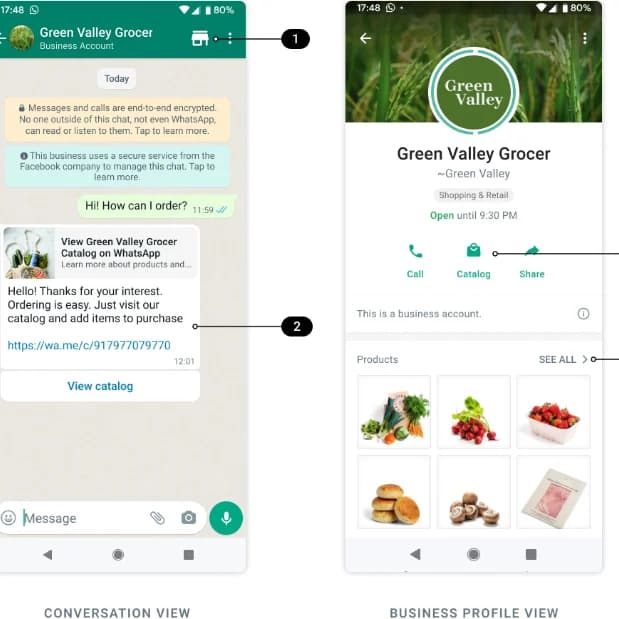
Honestly. It looked like a storage room, not a shop.
Just random product photos without descriptions, clear pricing. Nothing that tells a customer they can trust my business.
Once I fixed a few things, more conversations started turning into actual sales.
Here’s what worked:
Step 1: Stop Uploading Every Product You Have
This was my first mistake. I treated my catalog like a warehouse inventory list.
Customers don’t need to see 57 similar products. Too many options create confusion. Instead, start with:
* Your best sellers
* Your most profitable products
* Products people ask about most often
A smaller catalog that’s easy to browse usually performs better than a massive one.
Your catalog should be a supermarket shelf, not stockroom.
Step 2: Use Photos That Answer Questions
Many business owners upload one blurry photo and expect customers to make a buying decision. People want to see details.
For every product, include:
* Front view
* Side view
* Close-up shots
* Product in use if possible
* Size reference
If you’re selling bags, show someone carrying them.
If you’re selling furniture, show it inside a room.
If you’re selling food, show the portion size.
Customers trust what they can visualize.
Step 3: Write Descriptions Like You’re Talking to a Customer
A lot of catalog descriptions look like this:
“Available. Quality product. DM to order.”
That tells customers almost nothing.
Instead include:
* What it is
* Who it’s for
* Available sizes or variations
* Key benefits
* Delivery information
For example:
Instead of:
“Leather wallet available.”
Try:
“Genuine leather wallet with multiple card slots and cash compartments. Suitable for daily use and gift purchases. Available in black and brown. Nationwide delivery available.”
The second version answers questions before they’re asked.
Step 4: Display Your Price
This might be controversial, but hiding prices creates extra work.
Most people asking for prices simply want to know whether they can afford the product.
If the price is already visible:
* Serious buyers stay
* Time wasters reduce
* Conversations become easier
You don’t have to play hide-and-seek with pricing.
Step 5: Organize Products Properly
Imagine walking into a supermarket where bread is beside engine oil and toothpaste is next to rice.
That’s how some catalogs feel.
Group similar products together.
For example:
* New arrivals
* Best sellers
* Budget options
* Premium options
Customers should find what they need quickly.
Step 6: Add Social Proof
This changed everything for me. People trust other customers more than they trust businesses.
Where possible, include:
* Customer reviews
* Delivery photos
* Before-and-after results
* User-generated content
A screenshot of a happy customer can sometimes sell more effectively than a long sales pitch.
Step 7: Keep It Updated
Nothing frustrates customers like seeing a product, falling in love with it, and hearing: “Sorry, it’s out of stock.”
If a product is unavailable, remove it or update it. An accurate catalog builds confidence.
A WhatsApp Catalog isn’t just a product list. It’s your digital shop assistant.
It’s answering questions when you’re asleep. It’s building trust before the first message arrives. And if it’s done properly, it can quietly turn curious visitors into paying customers.