Start writing…Over the past few weeks, I’ve been digging deeper into Cryptographic Failures, one of the most significant issues highlighted in the OWASP Top 10 (A02:2021).
What I’ve discovered is both fascinating and concerning: many applications still mishandle user data at critical points.
🔎 Where Cryptographic Failures Happen
When users interact with an application, their data flows through two main stages:
The User Interface (UI):
This is the first point of contact where sensitive data like PII (Personally Identifiable Information) or credentials are captured.
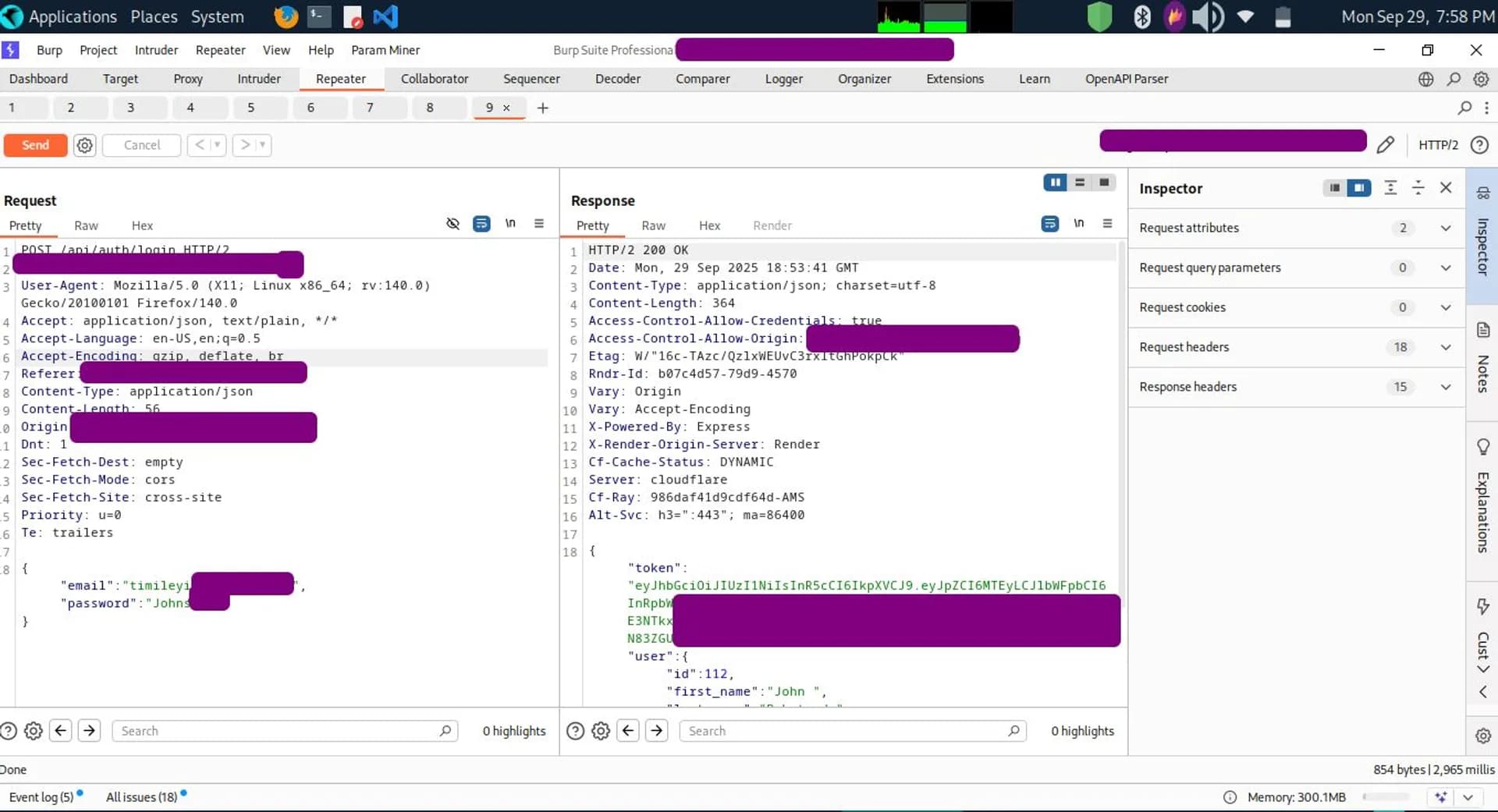
Surprisingly, I’ve found cases where sensitive information is displayed or stored in plain text at the UI layer.
This exposure makes it easier for attackers to scrape or intercept data before it even reaches the backend.
Data in Motion:
Once submitted, the data travels over the internet to the server.
Ideally, this transmission should always be protected using HTTPS.
Unfortunately, some applications still use outdated TLS versions (TLS 1.0/1.1) or weak cipher suites, which undermines the entire encryption process.
⚙️ Security Controls That Should Be Standard
To reduce the risk of cryptographic failure, the following measures should be non-negotiable in any application:
Enforce HTTPS Everywhere → Redirect HTTP → HTTPS automatically.
Harden TLS Configurations → Support only TLS 1.2/1.3 and disable weak ciphers.
Protect the Authentication Layer → Use rate limiting, account lockout mechanisms, and encourage multi-factor authentication (MFA) to prevent brute force attacks.
Secure the UI Layer → Don’t expose sensitive PII in plain text. Apply encryption and obfuscation where necessary before sending to the backend.
Proper Key & Password Management → Store passwords using strong, salted hashing algorithms (e.g., Argon2, bcrypt) instead of plaintext.
🚨 Common Mistakes I’ve Observed
Treating the server-side only as the place for encryption, while ignoring the exposure at the User Interface.
Leaving sensitive fields visible in client-side code or plain-text DOM elements.
Failing to implement rate limiting, which makes brute force attacks possible.
Relying on outdated TLS, giving a false sense of “secure” HTTPS communication.
✅ Final Thoughts
As a Security Researcher, my stance is clear:
Security should start at the User Interface and extend all the way to the server. Every layer in the data journey is a potential attack surface.
Among the related issues, the most overlooked is poor rate limiting on login endpoints—a weakness that directly enables brute force attacks against user passwords.
If we truly want to protect users, we must adopt a holistic approach to cryptographic security: from UI → Data in Motion → Server Storage.
💡 What’s your take? Do you think most companies underestimate the UI layer when it comes to cryptographic security?
hashtag#OWASP hashtag#AppSec hashtag#CyberSecurity hashtag#Cryptography hashtag#Infosec hashtag#DataSecurity hashtag#A022021


Feed